

The process
How to use
Download the Mod
Grab the free .jar file and drop it into your Minecraft Forge mods folder.
Log In from the Game Chat
Run in the Minecraft chat, using your PhotoCraft credentials — not your Minecraft ones. This connects your build library to the game.
Paste the Command
Run in the chat — your build appears right where you stand. Try the build.
Features
More than a generator
Your library
Every build stored with a preview in your dashboard, ready to place
Rescale
Change the size of a finished build in 15 seconds — scale 1 to 10, more or less detail
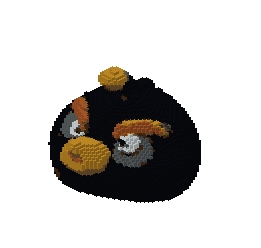
Rescale "bomb"
Token refund
Request a token refund in 2 clicks if a build comes out wrong. Reviewed by a human within 3 hours
Pricing
One token — one build
Every generation or rescale costs a single token. The mod itself is free, and three demo buildsExamples of what you get from a photo, each one made with PhotoCraft. This is not three free generations. work without an account.
Creator
For trying it out on your own builds
- 40 tokens per month
- ∞ builds stored in your library
- In-game access via the free mod
- Refund requests
- Top up tokens anytime
- Priority generation queue
- Early access to new features
Pro Builder
For servers and creators who build a lot
- 100 tokens per month
- Everything in Creator
- Priority generation queue
- Early access to new features
Run out mid-month? Top up tokens anytime from your dashboard.
FAQ
Common questions
What Minecraft version does PhotoCraft support?+
PhotoCraft supports Minecraft Java Edition 1.20.1 with the Forge mod loader.
How accurate is the block mapping?+
Results vary by object complexity, color variety, and number of angles provided. Simple objects with clear colors tend to produce the most accurate builds.
How many photos do I need to upload?+
One photo is almost always enough. You can upload up to 5 photos from different angles for objects with non-obvious sides — for example, a large LEGO model. Simple objects like apples, bottles, or plush toys work well with a single photo.
How long does build generation take?+
Most builds generate in about 1 minute. You can watch the real-time progress bar on the Create page while the pipeline runs.
Can I use the builds in any Minecraft world?+
Yes. Once generated, run /photocraft build "name" in any Minecraft world where the PhotoCraft mod is installed. Authorize first with /photocraft login [email] [password].
Is there a free plan?+
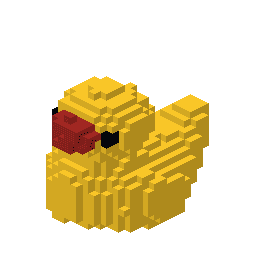
There is no free subscription plan, but the .jar mod itself is free to download. It includes 3 pre-built public examples that work without an account: /photocraft build bomb, /photocraft build deadpull, /photocraft build duck.
Do I need Litematica, WorldEdit, or schematic files?+
No. PhotoCraft does not produce .schematic or .litematica files and does not require any other mods. The PhotoCraft mod places blocks directly in your world with a single command — no importing, no manual building.
What is rescaling and how does it work?+
Rescaling lets you change the size of an existing build without re-generating it from the original photo. It takes about 15 seconds and costs 1 token, just like a new generation.
Mobile app
Snap and build without leaving the room
Shoot an object on your phone, generate the build on the spot and grab the command — no need to move photos to a computer first.